
The new Bilnex + Merit interface makes accounting easier
Good news for all Merit users! It is now possible to view PDF and e-invoices sent from Bilnex directly in Merit's accounting software. The new interface helps reduce manual work, speeds up the movement of invoices, and consolidates all information into one accounting software for a clearer overview of your accounting.
Below we explain step by step how the Bilnex and Merit interface works and what the user needs to do to activate it.
How does Bilnex interface with Merit work?
After activating the connection, both submitted sales invoices and received e-invoices will be transferred from Bilnex to Merit.
- Sales invoices submitted from Bilnex automatically exported to Meritis via the interface when the user sends an invoice
- Purchase invoices (currently only e-invoices) the user must export to Meritis manually by pressing the button in Bilnex "Confirm".
This means that the sales invoice side already works fully automatically and the movement of purchase invoices is just one click away. In the future, automatic export of purchase invoices will also be added and incoming invoices will move to Merit more conveniently.
Activating the Bilnex and Merit interface
For a Merit customer, setting up the Bilnex–Merit integration consists of three steps:
- Create an account on Bilnex.
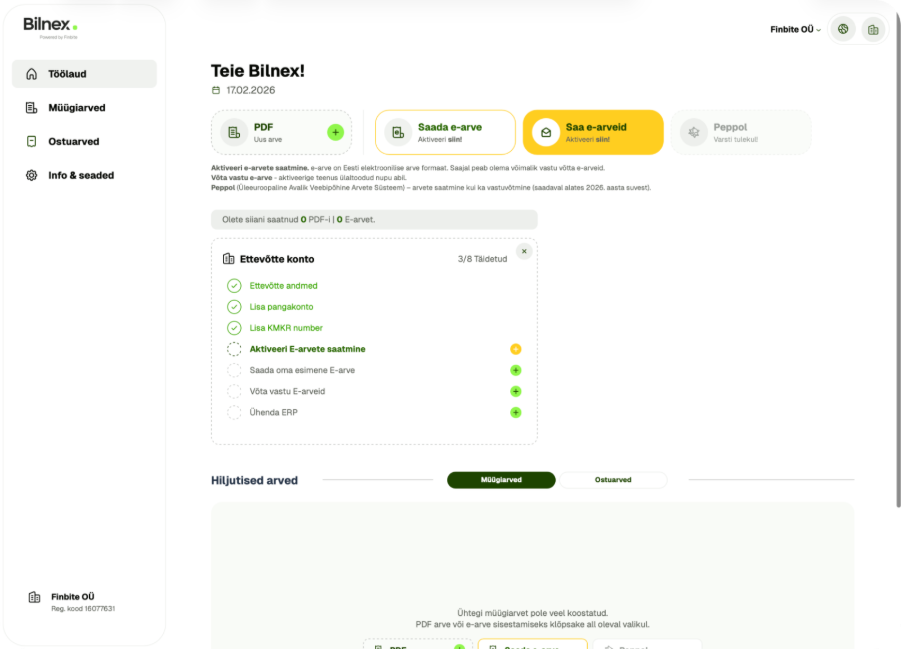
- Activate receiving e-invoices in Bilnex.
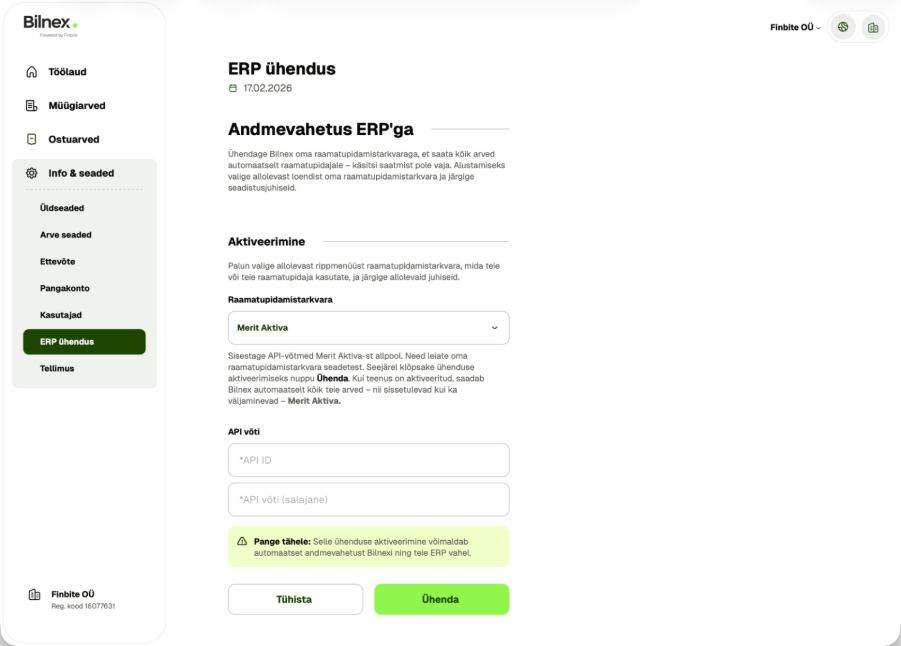
- Connect with Bilnex Merit.
- open Info & Settings → ERP Connection
- choose to connect Sea
- enter the information received from the Merit environment API ID and API key.
Activating e-invoice reception in Bilnex
Activating e-invoice reception if you don't yet have an e-invoice operator (or it's not Finbite)
Bilnex users receive e-invoices through the operator Finbite. If the company does not have an e-invoice operator or uses another operator, the old connection must first be terminated and then a new one created.
- Create a Bilnex account.
- Activate receiving e-invoices.
- The system will automatically redirect you to the e-Business Register, where you must confirm Finbite as the operator.
The service is usually activated the next morning. Then, e-invoices will start to arrive at Bilnex.
Activating e-invoice reception if your e-invoice operator is already Finbite
If your e-invoice operator is already Finbite, switching to Bilnex is particularly easy and no changes need to be made to the commercial register.
- Create a Bilnex account.
- Activate receiving e-invoices in the Bilnex environment.
The service is activated within seconds to minutes. Finbite will assign Bilnex as the internal operator and e-invoices will start moving to the Bilnex environment. In essence, the routing of e-invoice receipts from the Finbite environment to Bilnex will be overwritten.
Can Bilnex and Finbite succeed?I use?
If you want to continue to use some of the Finbite services, you do not need to terminate the Finbite contract and close the package. If you have already closed the package, but want to restore the movement of invoices between the Finbite and Merit environments, you can stop receiving e-invoices in the Bilnex environment at any time by making the appropriate settings. Do not remove the operator from the commercial register and new e-invoices will be received in the Finbite environment. If necessary, Bilnex reception can be reactivated at any time.
Next updates in Bilnex
Peppol's invoice sending and receiving solution for international e-invoicing is already being completed this spring. We are also working on new interfaces with other ERPs. So, if you are waiting for an interface with another business software, then Be sure to let us know via the contact form.